The problem
“It worked yesterday.”
A sensor stops reporting. An hour later it comes back. Your hub says everything is fine, because from where it stands everything is. The information that would explain it — signal, routing, what else was on the air — is never shown to you at all.
Health grade
Estimated
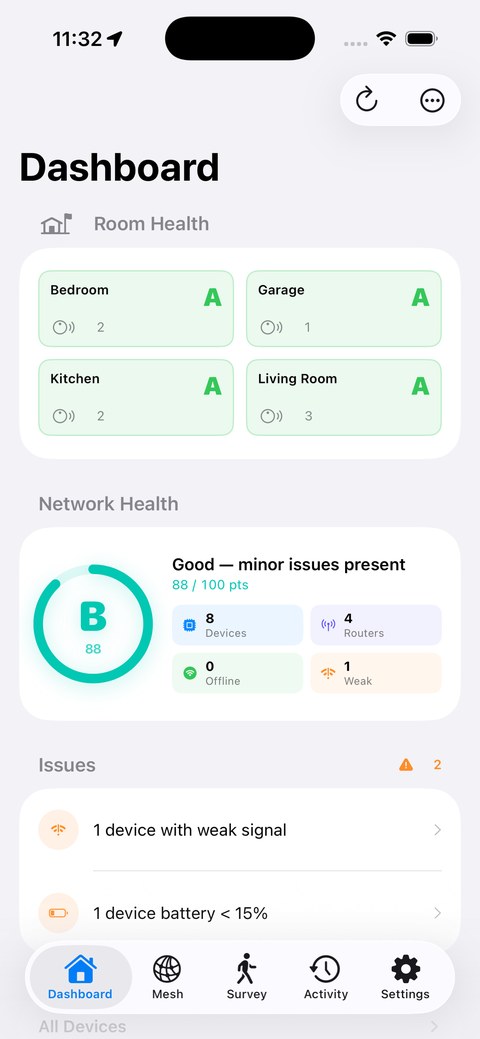
An A–F score with the specific issues pulling it down, not just a number.
Mesh map
Estimated
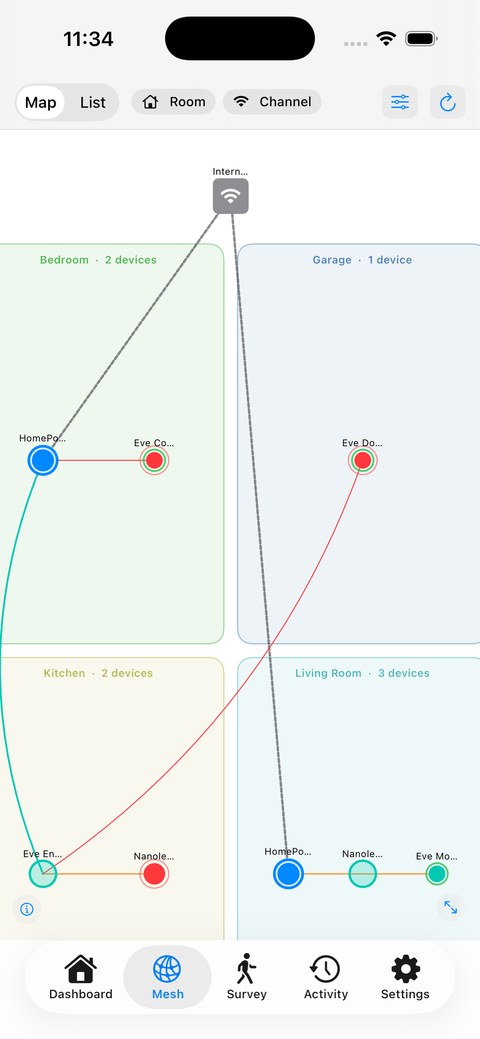
Every device grouped by room, showing how each one reaches a border router.
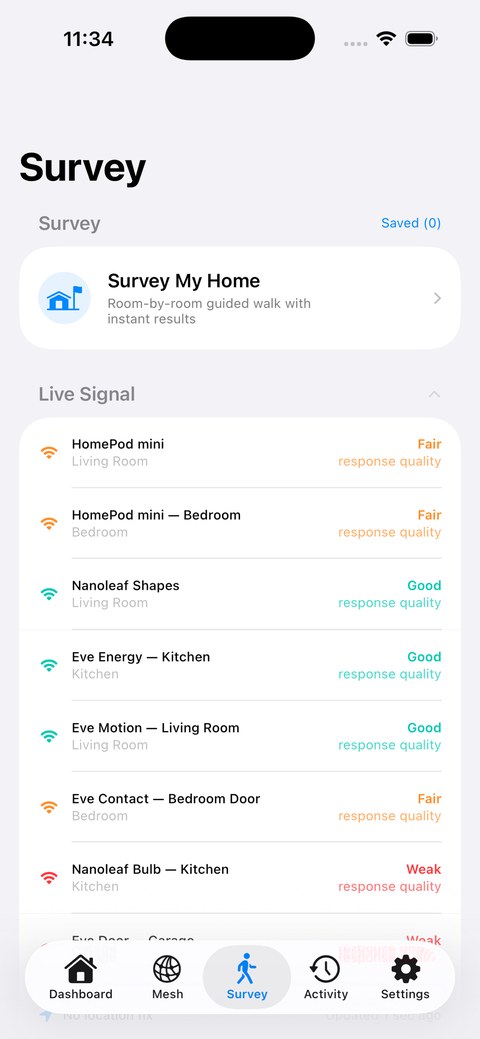
Room survey
Estimated
Walk a room, get a coverage grade. Drivable from your wrist so both hands stay free.
Offline alerts
Measured
Know the moment a device drops, with a grace period and quiet hours you set.
Device history
Estimated
30 days of signal trend, uptime and firmware changes for every accessory.
Watch & iPad
Grade and complications on the wrist; a proper sidebar layout on iPad, not a stretched phone.
Where those tags come from
Where a number is a guess, it says so.
iOS gives third-party apps no radio signal strength for Thread accessories, no parent-child relationships and no routing table. Any app showing you dBm for a HomeKit device is showing you something it cannot read.
ThreadMapper measures how quickly each accessory answers, calls that an estimate wherever it appears, and infers the mesh layout from what HomeKit does expose. It works, and it is honest about being an inference.
An OpenThread Border Router alone does not fix this.
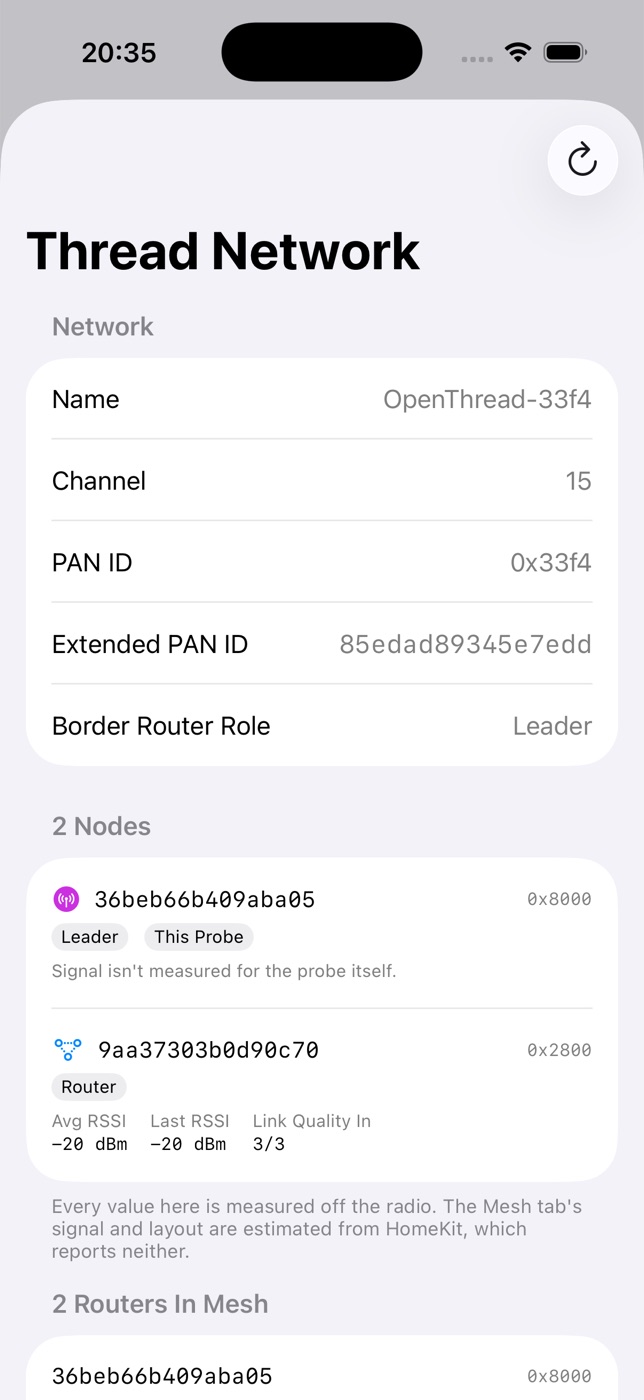
Its REST API reports real network facts — name, channel, PAN ID — and ThreadMapper uses them. But we tested its diagnostics endpoints against a live two-node mesh: the requests complete and return nothing usable. Per-node routing is not available that way, whatever the documentation implies.
Which is why the probe exists.
The probe
A small box that stops the guessing.
Run a lightweight agent on a Raspberry Pi with an 802.15.4 dongle and it joins your Thread mesh as a real node. From inside, everything the phone cannot see becomes readable — and because it never sleeps, it sees the 3 a.m. failures you don't.
$ curl probe.local:8099/topology
extAddress 1666d5453afe68c6 rloc16 0x5400
averageRssi -20 dBm lastRssi -20 dBm
linkQualityIn 3/3 role router
route nextHop 63 pathCost 0 linkQuality 3/3
Without a probe
With a probe
Response timingHow fast an accessory replies, bucketed into a signal estimate.
Radio RSSIActual per-neighbour signal and link quality, off the radio.
Inferred layoutMesh shape guessed from accessory type and room name.
Real routingRoute table with next hop and path cost — what makes a mesh multi-hop.
Channel theoryInterference risk from a table of which channels overlap Wi-Fi.
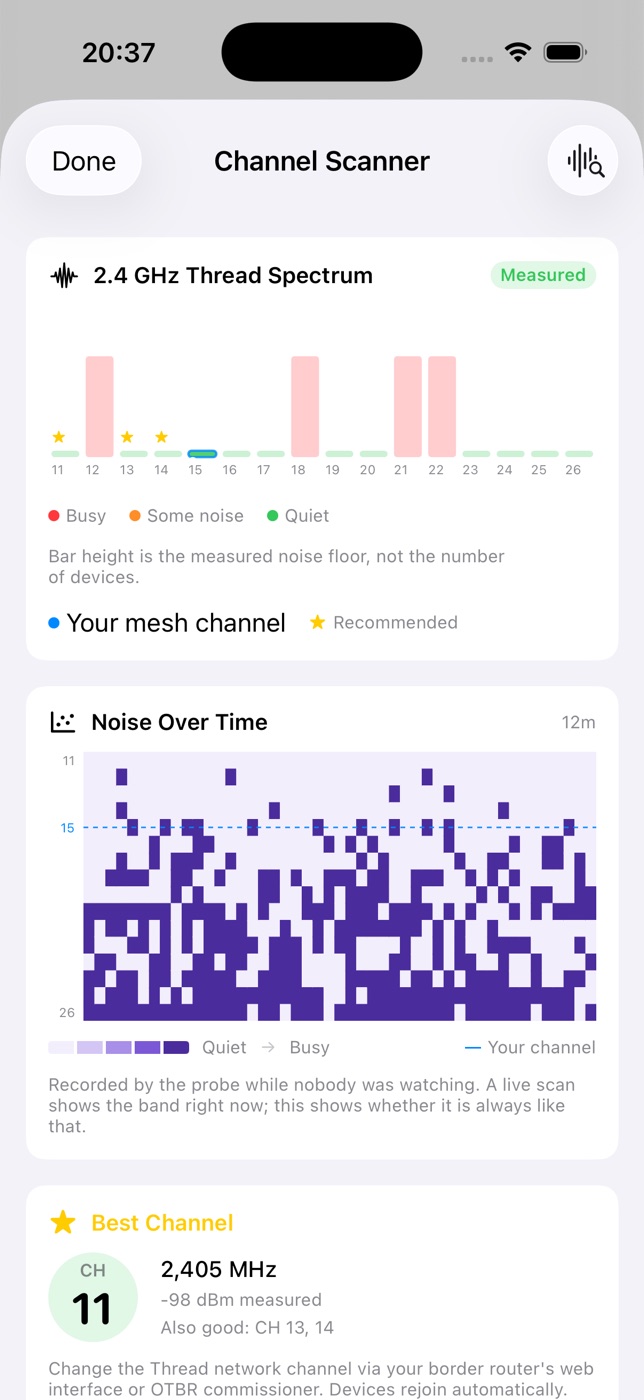
Measured noiseAn energy scan of all 16 channels. What the band actually sounds like.
While the app is openThe phone only watches when you're looking at it.
ContinuouslyRecorded to disk, so the overnight partition is still there in the morning.
Noise over time
Probe
A waterfall of the whole band. You can see the microwave at dinner and the neighbour's Wi-Fi in the evening.
Why it dropped
Probe
Departures lined up against noise and radio error counters — with the readings shown, and “no clear cause” when there isn't one.
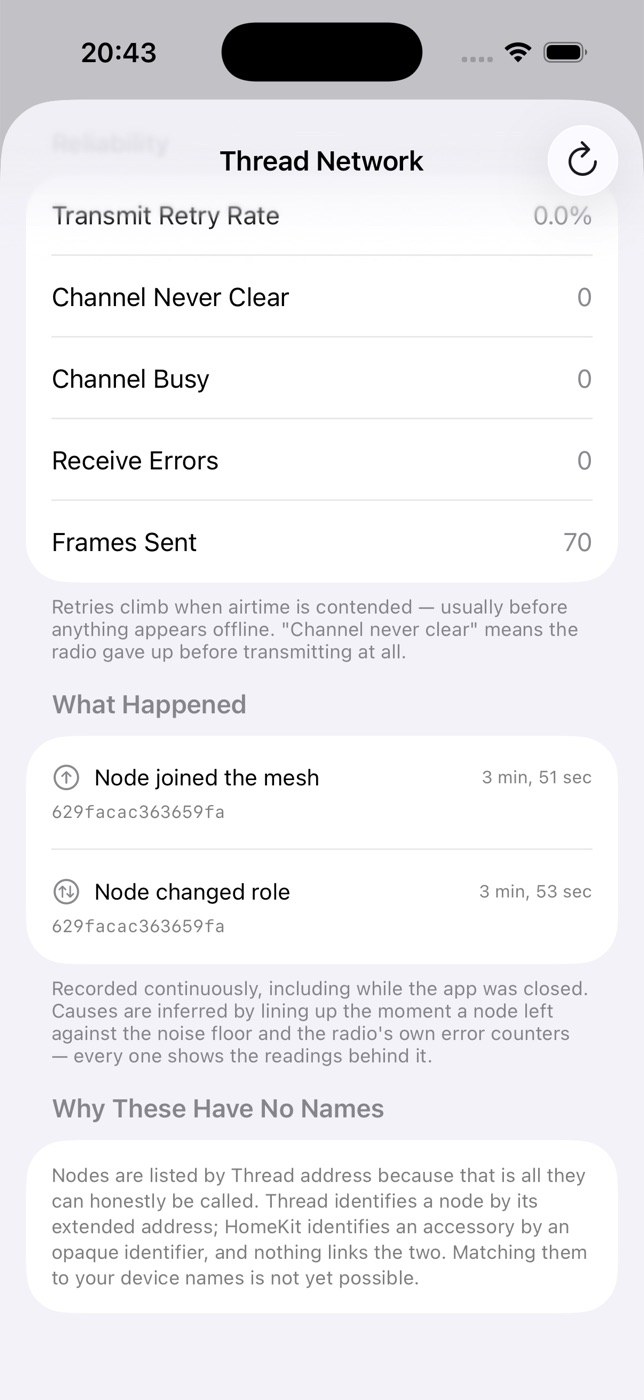
While you were away
Probe
What happened since you last opened the app. Silent when nothing did.
Reliability counters
Probe
Transmit retries and channel-busy failures — congestion shows here long before anything looks offline.
The agent is open source and runs on a Raspberry Pi 4 or 5 you may already own — the 802.15.4 dongle it needs costs about $10–25. Setup guide →
Read that first: a Raspberry Pi has no Thread radio of its own, and joining an existing Apple or Google mesh needs credentials those platforms don't yet let you export. It is not a product you can buy — it's a build.
Privacy
No account. No servers. No analytics.
- Nothing to sign up for. The app has no login because it has nowhere to log in to.
- No tracking of any kind. No analytics, no third-party SDKs — the only network request the app makes is to a border router or probe you configured yourself.
- iCloud sync is yours, not ours. Optional, off by default, and it uses your own private iCloud. Your notes and settings follow you; we never see them.
- AI runs on device. On iOS 26 with Apple Intelligence. Your network is never uploaded to be summarised.
Signal history deliberately doesn't sync.
Readings depend on where the device taking them is standing. Merging an iPad in a drawer with an iPhone in your pocket would produce a history describing a place nobody is. Notes and settings sync; measurements stay put.
Full privacy policy →
Pro
One purchase. Not a subscription.
- AI Insights, Network Assistant and a troubleshooter that reads this device's own history — all on your iPhone, nothing uploaded.
- AR room mapping and X-Ray — scan rooms into a floor plan, walk the signal onto it, then see the mesh drawn through your real home.
- A year of daily grades, a month of timeline, weekly reports, and what a month of readings says about when your home is at its worst.
- Jobs and evidence sheets — a page for a client showing exactly what a visit changed, and a page per device for a warranty claim.
- What the radios say — why a device rebooted, how often it has changed parent router, and how many households can control it.
Probe features aren't behind the paywall.
If you've gone to the trouble of building a probe, hitting a second paywall would be a poor way to say thank you. Everything the probe unlocks is included.
No install needed
Try the app on a simulated home before you install it.
Scan a code or open a link and a small slice of ThreadMapper runs without installing the app. It grades a simulated home with the same engine it would use on yours — twelve devices, two border routers, one offline, one on a failing battery — and says before anything else that every number in it is simulated. An App Clip may not read Apple Home or your local network, which is where the real app's numbers come from. Free.
Getting started
What you need
A home with at least one Thread border router — a HomePod mini, Apple TV 4K or similar — since ThreadMapper reads your network through HomeKit. AI features need iOS 26 on an Apple Intelligence–capable device. The probe is entirely optional.
Want to look around first? Turn on Demo Mode and the whole app runs on a simulated network — no hardware, no HomeKit, nothing to set up.